Messaging and voice
Running coding-agent sessions through Discord or Telegram, with voice-note transcription. Moved out of the README in 6.57.0; nothing here changed.
Configure integrations from Admin UI → Messaging, then click Validate and Apply.
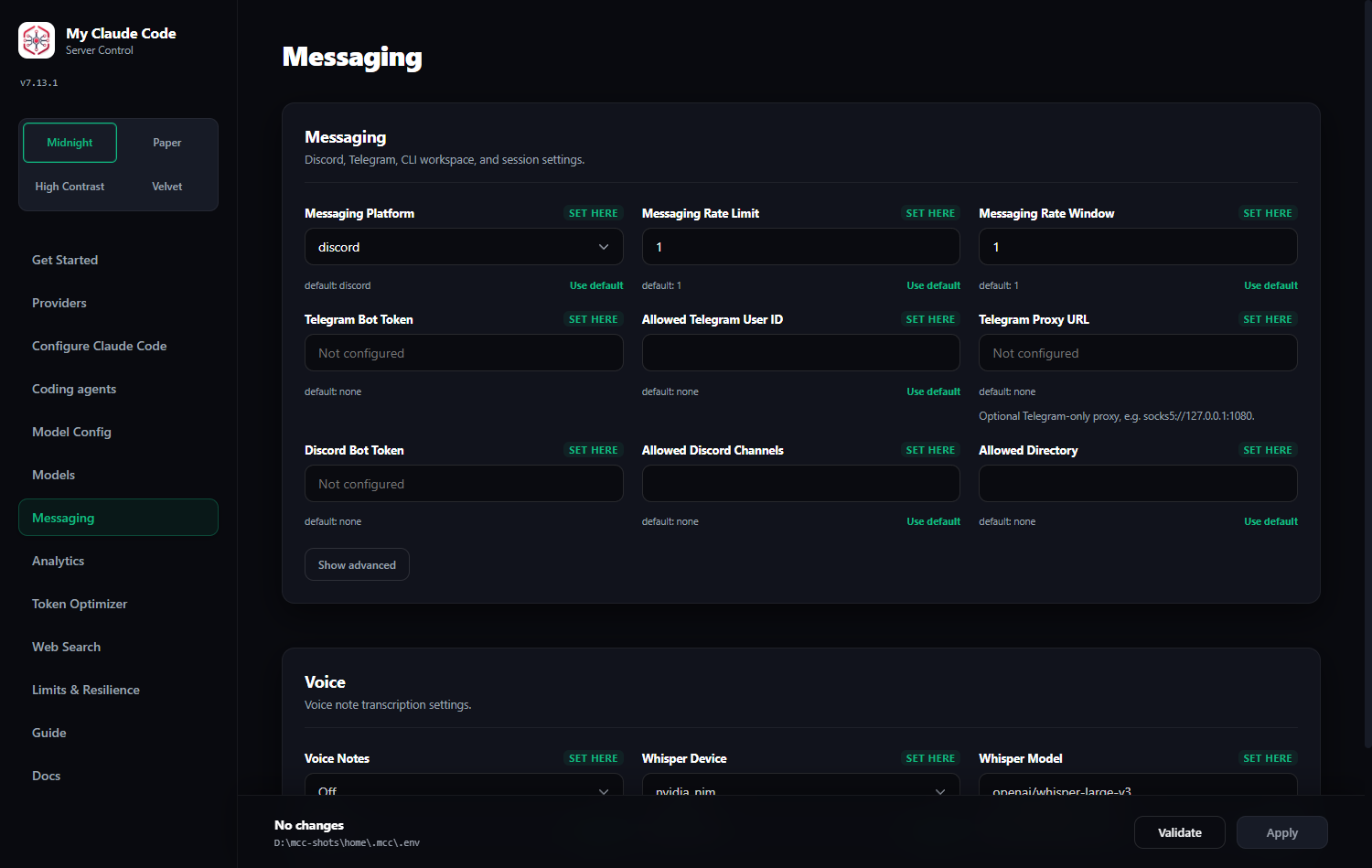
Discord bot
1. Create a bot in the [Discord Developer Portal](https://discord.com/developers/applications). 2. Enable **Message Content Intent** and invite it with read, send, message-history, and **Manage Messages** permissions so `/clear` can remove user prompts. 3. Set **Messaging Platform** to **discord**. 4. Enter **Discord Bot Token**, **Allowed Discord Channels**, and an absolute **Allowed Directory**. 5. Apply the settings and restart the server if requested.Telegram bot
1. Create a bot with [@BotFather](https://t.me/BotFather). 2. Get your numeric user ID from [@userinfobot](https://t.me/userinfobot). In groups, grant the bot permission to delete messages. 3. Set **Messaging Platform** to **telegram**. 4. Enter **Telegram Bot Token**, **Allowed Telegram User ID**, and an absolute **Allowed Directory**. 5. Apply the settings and restart the server if requested.Messaging commands
| Usage | Behavior |
|---|---|
/stats |
Show session state. |
Standalone /stop |
Cancel all work. |
Reply with /stop |
Cancel only the selected request while other queued requests continue. |
Standalone /clear |
Reset all MCC state and remove every tracked message in that chat, including user prompts, voice notes, MCC replies, Telegram's online notice, and the clear command itself. |
Reply with /clear |
Delete the selected message and its literal platform reply subtree while preserving its ancestors and siblings. |
Voice notes
Re-run the installer with the voice backend you need. macOS/Linux:# NVIDIA NIM transcription
curl -fsSL "https://raw.githubusercontent.com/FiredMosquito831/my-claude-code/main/scripts/install.sh" | sh -s -- --voice-nim
# Local Whisper on CPU or CUDA
curl -fsSL "https://raw.githubusercontent.com/FiredMosquito831/my-claude-code/main/scripts/install.sh" | sh -s -- --voice-local
# Both backends
curl -fsSL "https://raw.githubusercontent.com/FiredMosquito831/my-claude-code/main/scripts/install.sh" | sh -s -- --voice-all
# Local Whisper with the CUDA 13.0 PyTorch backend
curl -fsSL "https://raw.githubusercontent.com/FiredMosquito831/my-claude-code/main/scripts/install.sh" | sh -s -- --voice-local --torch-backend cu130
# NVIDIA NIM transcription
& ([scriptblock]::Create((irm "https://raw.githubusercontent.com/FiredMosquito831/my-claude-code/main/scripts/install.ps1"))) -VoiceNim

# Local Whisper on CPU or CUDA
& ([scriptblock]::Create((irm "https://raw.githubusercontent.com/FiredMosquito831/my-claude-code/main/scripts/install.ps1"))) -VoiceLocal

# Both backends
& ([scriptblock]::Create((irm "https://raw.githubusercontent.com/FiredMosquito831/my-claude-code/main/scripts/install.ps1"))) -VoiceAll

# Local Whisper with the CUDA 13.0 PyTorch backend
& ([scriptblock]::Create((irm "https://raw.githubusercontent.com/FiredMosquito831/my-claude-code/main/scripts/install.ps1"))) -VoiceLocal -TorchBackend cu130
Desktop & token optimizer
The mcc-desktop tray menu covers Open Admin, Check Server Status, Restart Server, Server mode (spawn / attach / off), Start at Login, Tray Enabled, a Token optimizer submenu, and Quit; preferences persist to ~/.mcc/desktop.json. The Token optimizer card in the Admin UI controls the same RTK integration per agent as mcc-rtk status|enable|disable|uninstall|apply, persisted to ~/.mcc/rtk.json. Full details, including per-platform start-at-login, are in the Usage Guide.