My Claude Code
A local multi-provider LLM proxy, model router and control plane for AI coding agents.
Claude Code, Codex, OpenCode, Gemini CLI, Crush, Cline, Goose, Aider, Kimi Code, Qwen Code, Command Code, Droid, Pi, Kilo, Roo Code, Antigravity and the desktop apps (Claude Desktop, Codex desktop, LM Studio, Warp, VS Code's Copilot endpoint) all point at one address and share one control panel: routing tiers with fallback chains, reasoning controls, credential rotation and health, a vision adapter, a native web-search tool proxy, learned provider quirks, cost with provenance, and a full request log — in front of every provider below.
Your models. Your keys. Your machine.
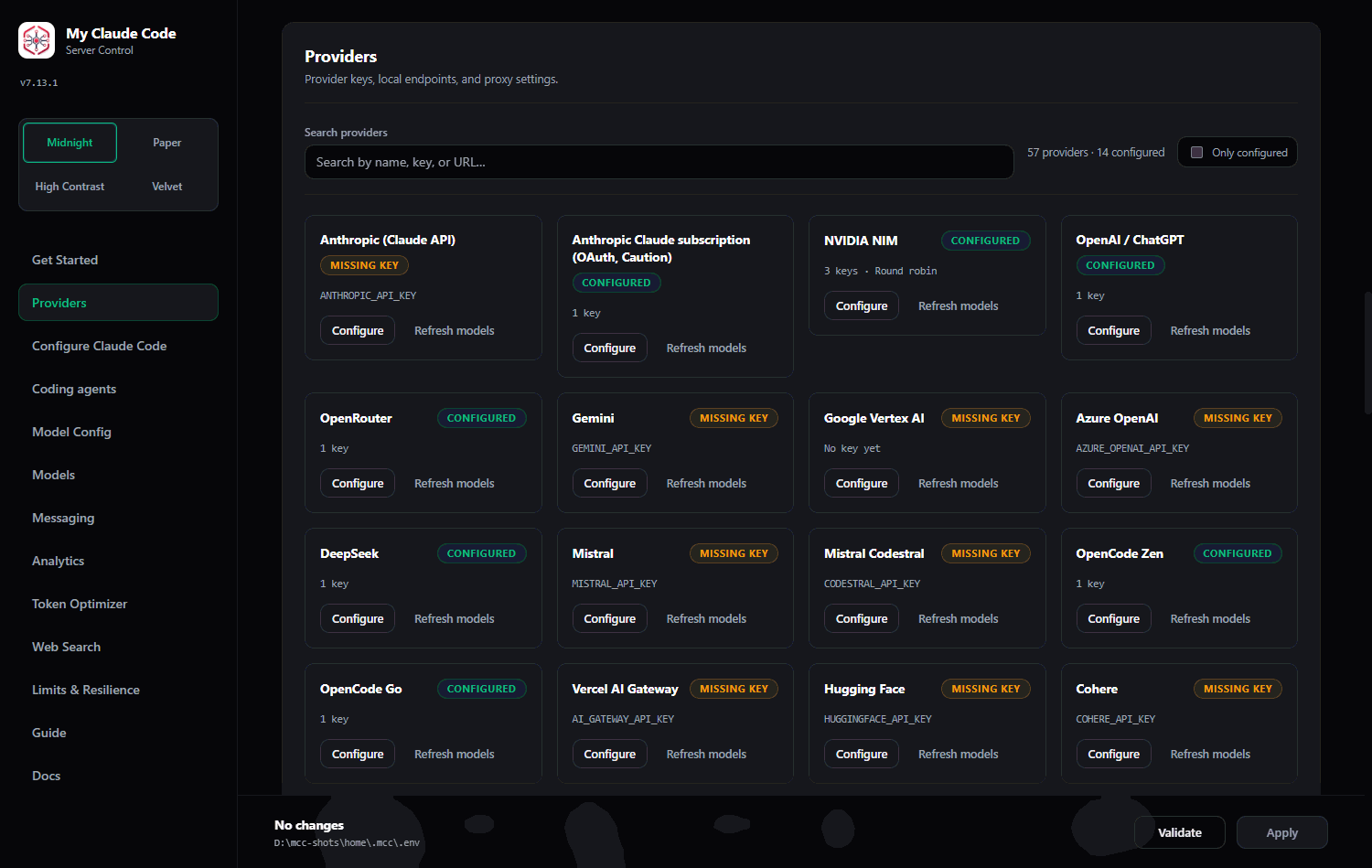
The dashboard's Providers page. Every key stays in your own .env, on your own machine.
Start here
-
Install it
One line on Windows, macOS, Linux or WSL — or a native desktop app. The installer brings its own Python; nothing on your machine is assumed.
-
What MCC is
An Anthropic-compatible proxy between your coding agent and whichever provider you configure, running on
127.0.0.1:8082. What it does, and what it deliberately does not. -
Connect an agent
Eighteen
mcc-*launchers across 18 agent harnesses, plus the recipe for any OpenAI-, Anthropic- or Gemini-shaped client that is not one of them. -
Drive agents remotely
Pair a phone or remote browser to
/rcover Tailscale Serve, Tailnet Direct or Cloudflare Tunnel while/adminstays loopback-only. -
Route your models
Each Claude tier gets an ordered chain of models; the next one takes over when one cannot serve. Key rotation, output budgets and retry policy in one reference.
-
See what it cost
Every request logged locally with provider, key, model, tokens, time-to-first-token and cost with its provenance — estimated or billed, and never guessed silently.
-
Bring your providers
Every one of them, by API key or by OAuth sign-in. Add one that is not on the list without waiting for a release.
Install
Pick one. Every route ends at the same server, the same dashboard and the same configuration
directory, and installs mcc-server plus the 18 mcc-* agent launchers on your PATH.
curl -fsSL -o "%TEMP%\install-mcc.cmd" https://raw.githubusercontent.com/FiredMosquito831/my-claude-code/main/scripts/install.cmd && "%TEMP%\install-mcc.cmd"
Or download the desktop app:
MyClaudeCode-Setup-windows-x86_64.exe
curl -fsSL "https://raw.githubusercontent.com/FiredMosquito831/my-claude-code/main/scripts/install.sh" | sh
Or download the desktop app:
MyClaudeCode-macos-universal.dmg
curl -fsSL "https://raw.githubusercontent.com/FiredMosquito831/my-claude-code/main/scripts/install.sh" | sh
Or download the desktop app:
MyClaudeCode-linux-x86_64.deb
·
.tar.gz
Then close and reopen your terminal — the installer puts ~/.local/bin on your PATH and a
shell that was already open cannot see it. Check with mcc-server --version.
Every platform, every flag, and what the installer cannot do: Usage Guide → Install.
What it looks like
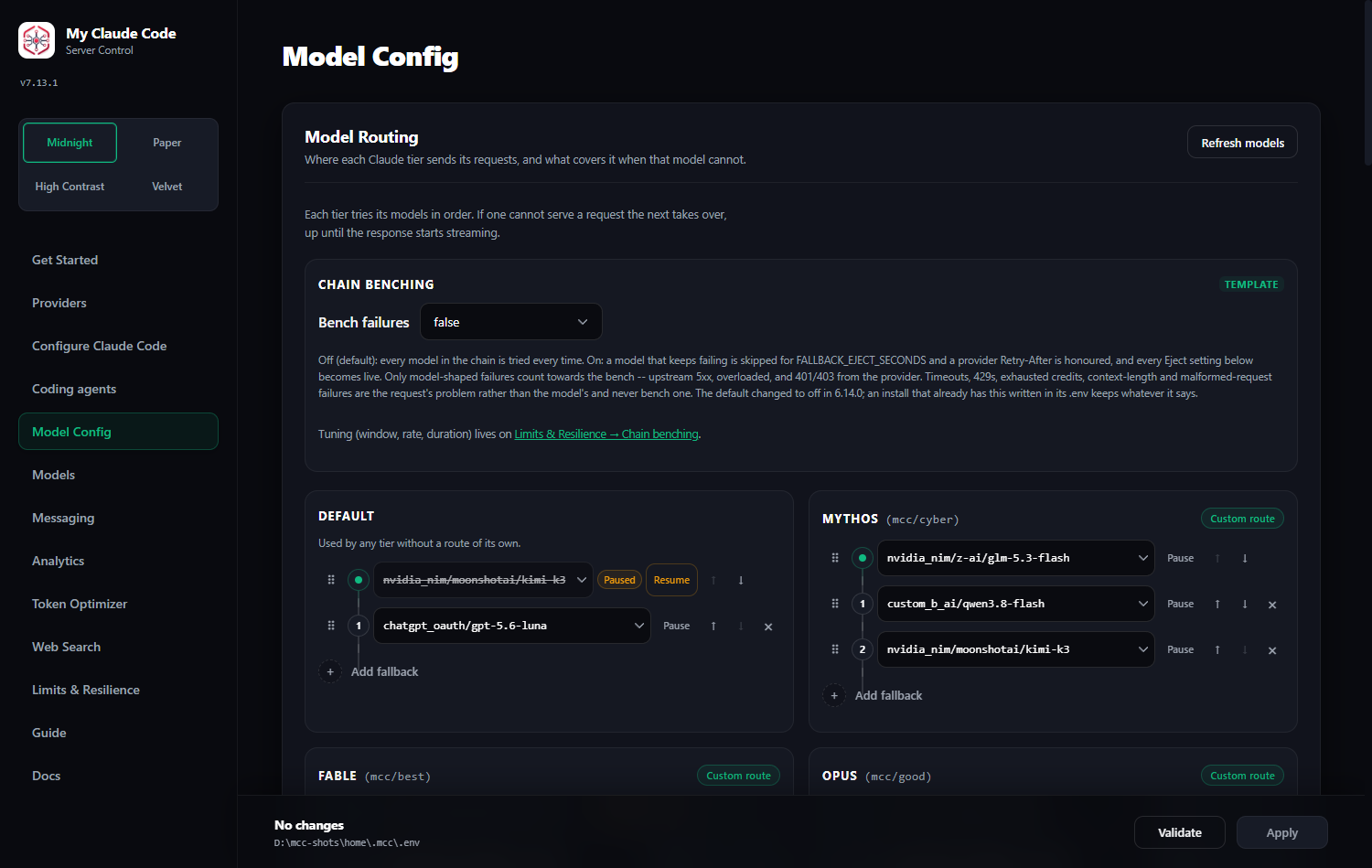 Routing: each tier is a chain, tried in order, until one serves.
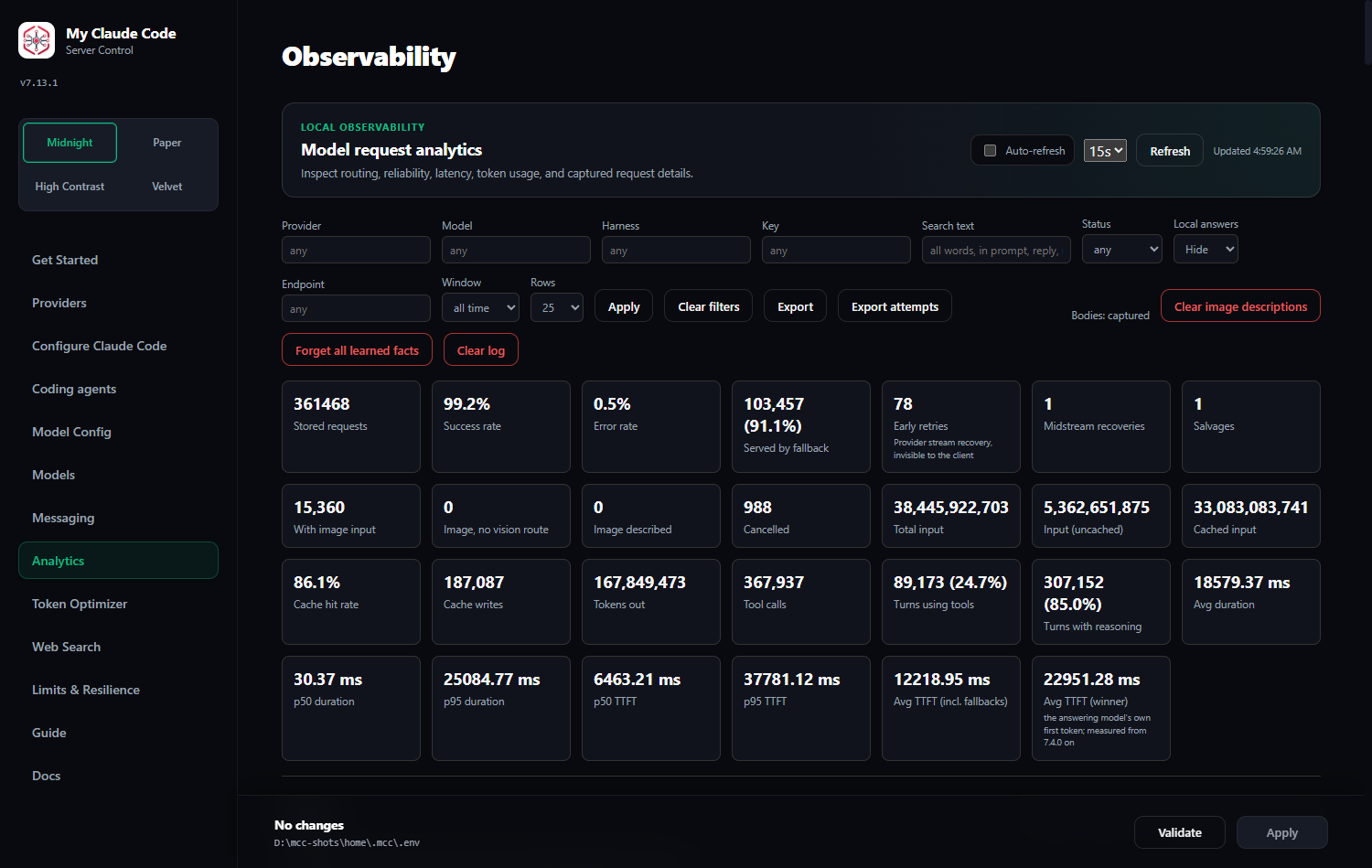 Analytics: 361,468 stored requests, with latency and cost per model.
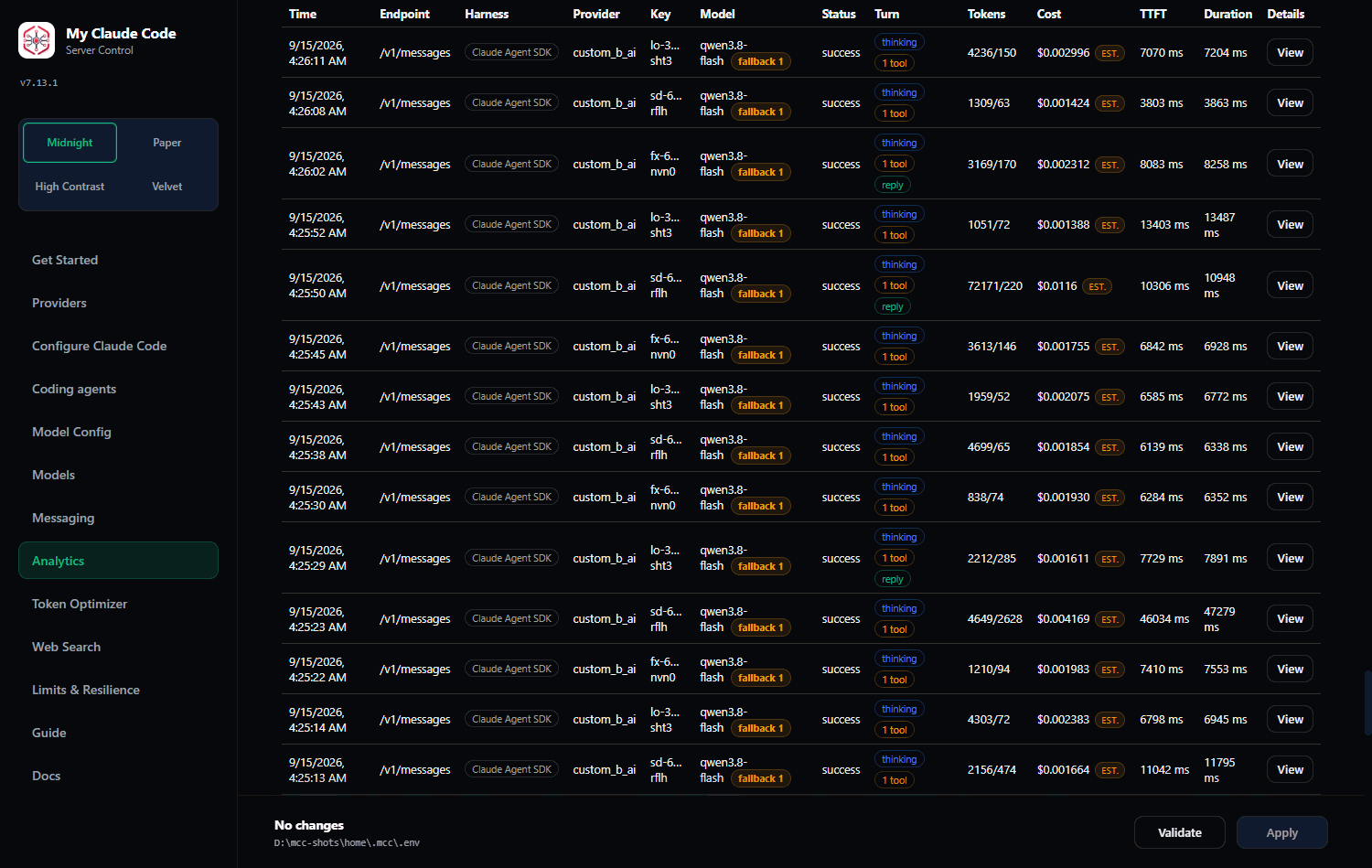 The request log: every call, with the key and the model that answered it.
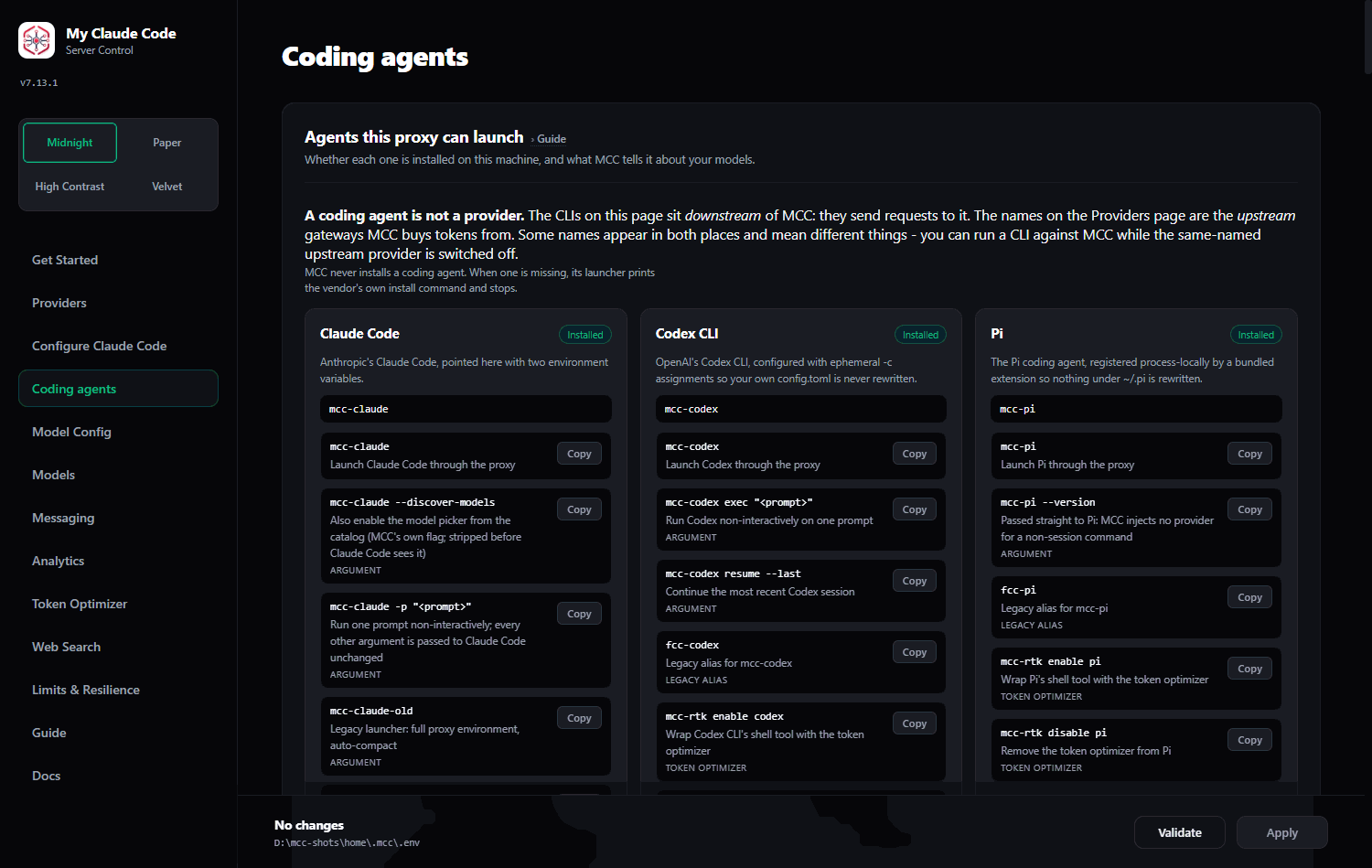 Coding agents: eighteen launchers across 18 agent harnesses, each pointed at the same server.
Full table of contents: all documentation. Source, issues and releases: GitHub.